
Download Vidder Video Downloader – video downloader, music downloader, mp3 converter, youtube downloader, soundcloud downloader, fast download, offline media, video converter, audio extractor, media utility
Overview
Vidder Video Downloader is a productivity-focused mobile application designed to simplify the process of saving videos and audio content from popular online platforms. The app enables users to download media from sources such as YouTube and SoundCloud, offering a convenient solution for those who wish to access their favorite content offline. Its core purpose lies in bridging the gap between online streaming and personal media libraries, allowing users to enjoy videos and music without an internet connection. This functionality is particularly valuable for travelers, students, or individuals with limited data plans.
Target users include content consumers who frequently stream videos or music and want to preserve them for later use. The app caters to a broad audience, from casual viewers to digital creators who may need to extract audio or convert video formats for personal projects. While the developer, Vidder Team, is listed, no additional background information is available regarding their history or other applications. The app’s release date was January 26, 2022, indicating it has been in the market for over two years, suggesting a stable presence in the mobile productivity space.
Real-world use cases include downloading educational videos for offline study, saving music playlists for long commutes, or archiving viral content for personal reference. In the broader app ecosystem, Vidder fills a niche for utility tools that enhance media accessibility, especially in environments with unreliable connectivity. The app’s focus on speed, format flexibility, and ease of use positions it as a practical tool for users seeking efficient media management on Android devices.
Key Features & Functionality
- Download MP3 & MP4: Users can convert videos into high-quality audio (MP3) or full HD/4K video formats (MP4), enabling flexible storage and playback across devices. This feature supports both music and video content, catering to diverse user preferences.
- Audio Converter: The app extracts audio from any video while preserving high fidelity, allowing users to create custom music playlists or use soundtracks independently. This is ideal for users who want to isolate background music or voiceovers.
- Ultra Fast Download Speeds: Optimized for rapid file acquisition, Vidder delivers quick downloads, reducing wait times and enhancing user efficiency—especially beneficial for users on-the-go or with time-sensitive needs.
- Smart Merging: When required, the app supports combining audio and video elements into a single cohesive file, simplifying content compilation without complex manual steps.
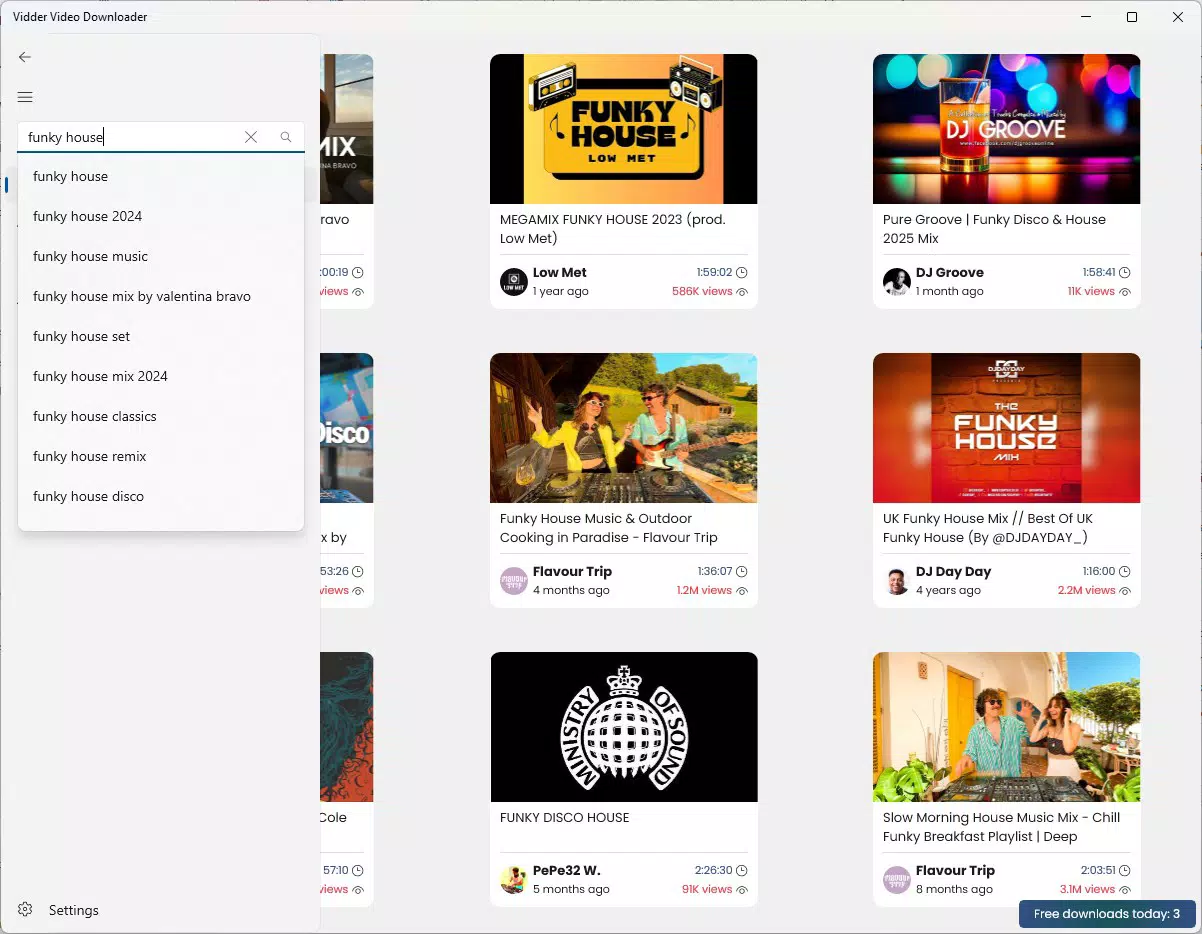
- Simple & Intuitive Interface: The app features a streamlined layout with accessible search, preview, and download functions in one location, ensuring ease of use for non-technical users.
For example, a student can download a lecture video in MP4 format for offline review, while a music enthusiast can extract an MP3 from a YouTube performance to add to their playlist. Similarly, a content creator might use the audio extraction feature to repurpose background music from a video. These use cases highlight the app’s practical value in everyday digital workflows.
Interface, UX & Performance
Vidder Video Downloader presents a clean, user-centered interface that prioritizes accessibility and functionality. The layout is organized around core actions—search, preview, and download—ensuring a logical flow for users of all experience levels. Navigation is straightforward, with minimal onboarding steps, allowing users to begin downloading media immediately after installation.
The visual design emphasizes clarity, using intuitive icons and a consistent color scheme to guide users through each stage of the process. Responsiveness is evident during common tasks, with minimal lag when searching or previewing content. Although the developer did not list formal performance metrics, the app’s reported size of 15.6 MB suggests a lightweight footprint, which may contribute to smooth operation on a variety of Android devices.
Stability appears to be a focus, as the app supports core functions like format conversion and file merging without reported disruptions. However, specific performance data across device categories (e.g., low-end vs. flagship) was not disclosed. Users on older or resource-constrained devices may experience varying results, though the app’s compact size indicates a design philosophy favoring efficiency.
Platform Compatibility & Technical Requirements
Vidder Video Downloader is available exclusively on the Android platform. The current version is 3.2.0, released on January 26, 2022. The app’s file size is 15.6 MB, which is relatively small, indicating a lean installation footprint that should not strain device storage.
The developer did not specify minimum OS requirements, nor did they list compatibility details for specific Android versions. As such, users should verify whether the app runs on their device’s current system version. While the app’s lightweight nature suggests broad compatibility, the absence of official requirements means users may encounter issues on outdated or highly customized Android systems.
Given that the app is free and distributed via third-party channels, users should ensure they are downloading from a trusted source to maintain security and avoid potential malware risks. The lack of official platform details does not detract from the app’s core functionality but warrants caution during installation.
Pros and Cons
Pros
- Free to download and use, with no in-app purchases or subscriptions.
- Supports multiple formats including MP3 and MP4 for flexible media management.
- Offers fast download speeds, improving efficiency for content retrieval.
- Intuitive interface suitable for users of all technical skill levels.
- Includes audio extraction and smart merging features for enhanced usability.
Cons
- Specific system requirements were not listed, limiting compatibility clarity.
- Availability is restricted to Android, excluding iOS users.
- No official updates or changelog details are provided.
- Security of third-party download sources is not guaranteed.
- Performance on older or low-end devices was not confirmed.
FAQ
Is Vidder Video Downloader safe to use?
The app is free and widely used, but users should only download it from trusted sources to avoid potential security risks. The developer did not provide official verification details.
Can I download videos from YouTube and SoundCloud?
Yes, the app supports downloading content from major platforms including YouTube and SoundCloud, allowing users to save media for offline access.
Does Vidder support audio extraction?
Yes, the app includes a dedicated audio converter that extracts high-fidelity MP3 files from video content.
Is the app available for iOS devices?
No, Vidder Video Downloader is currently only available for Android users.
How often is the app updated?
The developer did not publish an update schedule or changelog, so users should check for updates manually.
Final Thoughts
Vidder Video Downloader stands out as a practical, no-frills tool for Android users seeking to download and convert media content efficiently. Its combination of fast download speeds, format flexibility, and a user-friendly interface makes it a reliable choice for offline media consumption. Whether you're saving music for a commute, archiving educational videos, or extracting audio for personal projects, the app delivers on its core promise.
While it lacks detailed technical specifications and platform exclusivity limits its reach, its free model and straightforward functionality offer strong value. Users who prioritize ease of use and quick access to content will find Vidder a dependable companion in their digital toolkit.
Download Vidder Video Downloader now


